
Screenshot organizer for Android & iOS
Everything you save.
Find it anytime.
Pixnest gives your screenshots a home: it reads the text inside them, sorts them into categories and lets you find anything in seconds — all on your phone.
Free · No account · No cloud · No ads
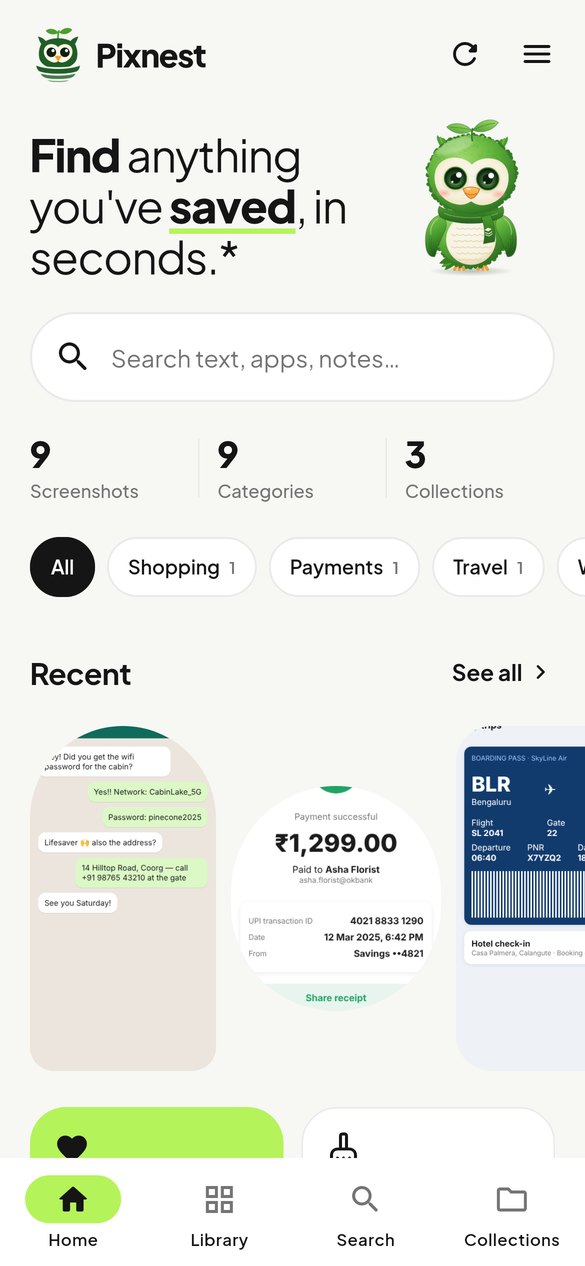

Find it. Sort it. Keep it.
-
Smart search
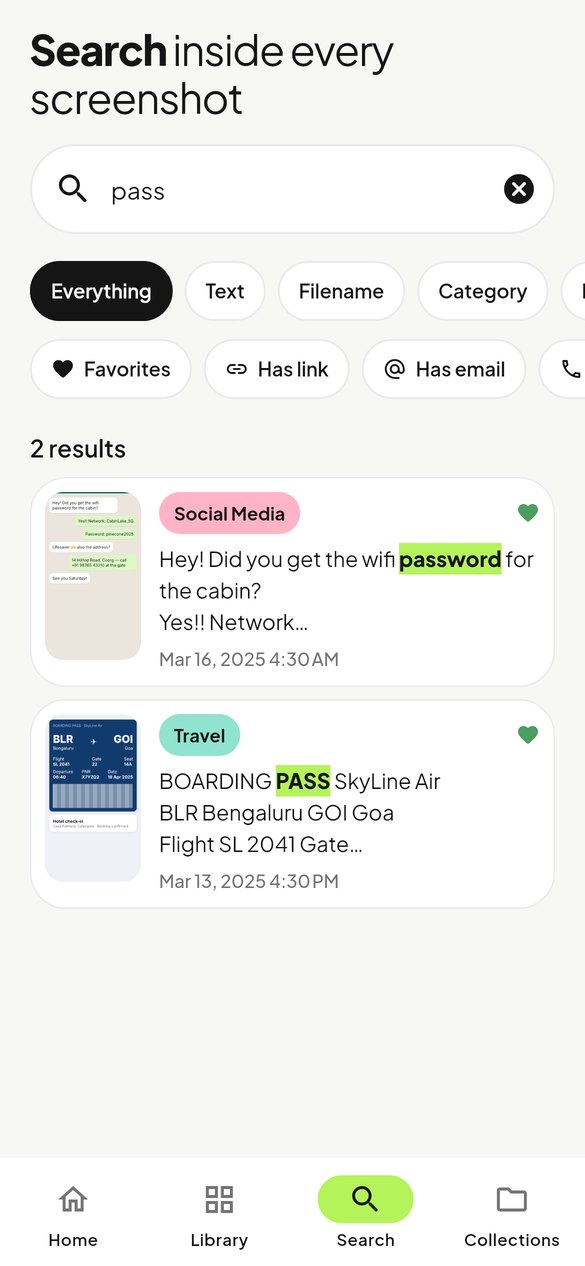
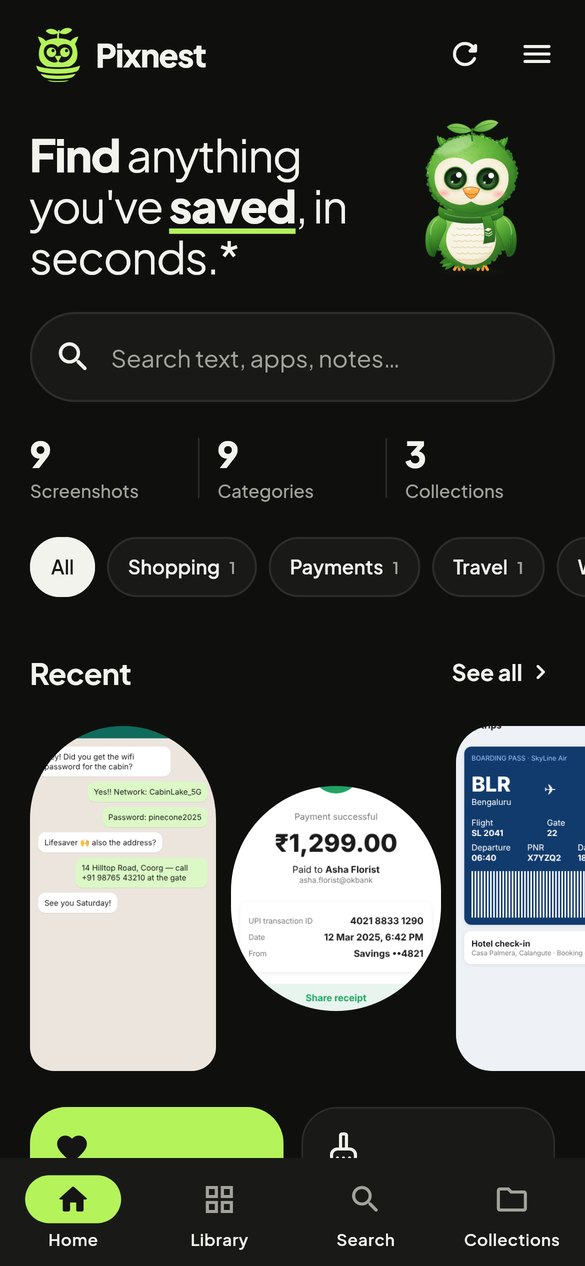
Search the words inside your screenshots — receipts, chats, boarding passes — with highlighted matches.
-
On-device text recognition
Pixnest reads text on your phone with Google ML Kit (Android) or Apple Vision (iOS). Nothing is uploaded.
-
Sorted for you
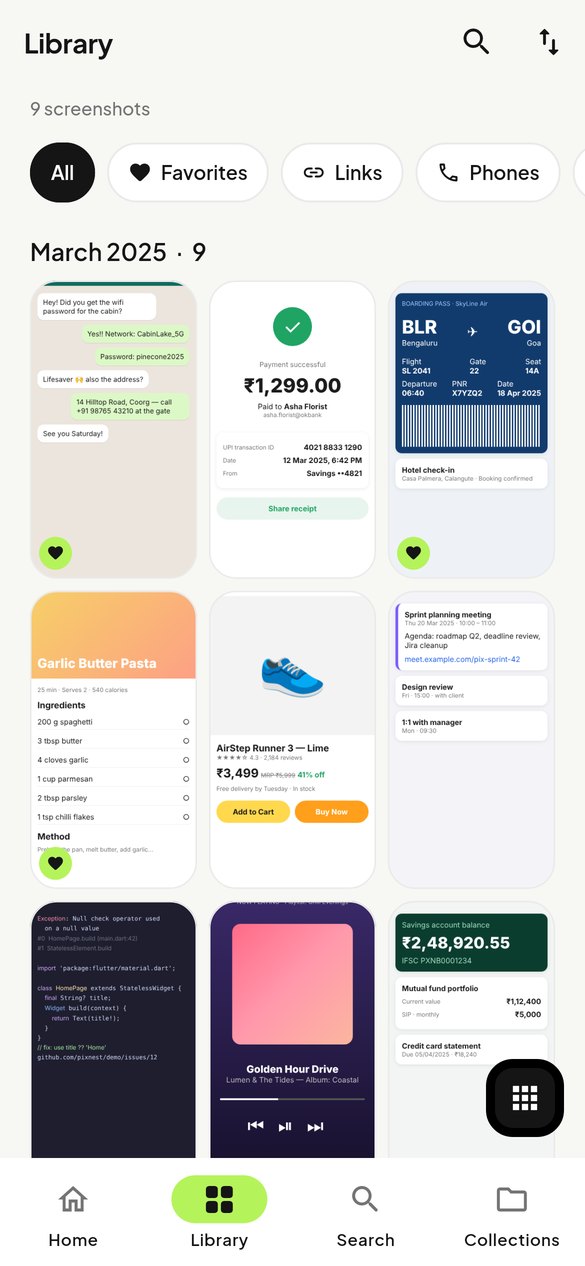
Shopping, Payments, Travel, Work and 8 more categories, assigned automatically. Change any with a tap.
-
Collections
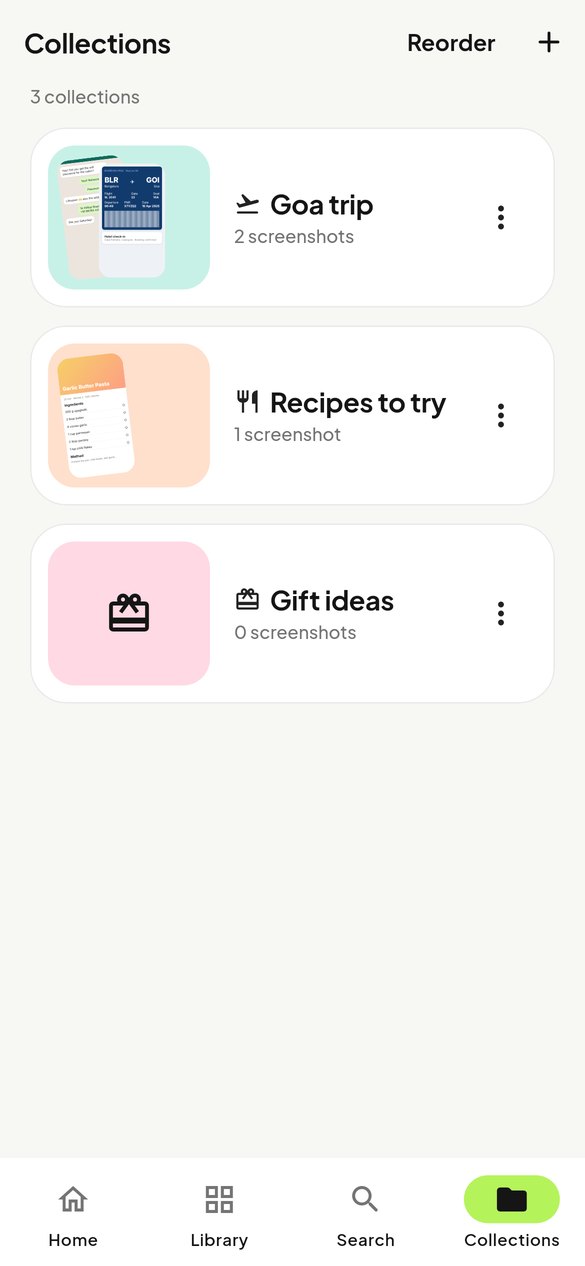
Group screenshots into “Trip ideas” or “Recipes”. One screenshot can live in many collections.
-
Duplicates & cleanup
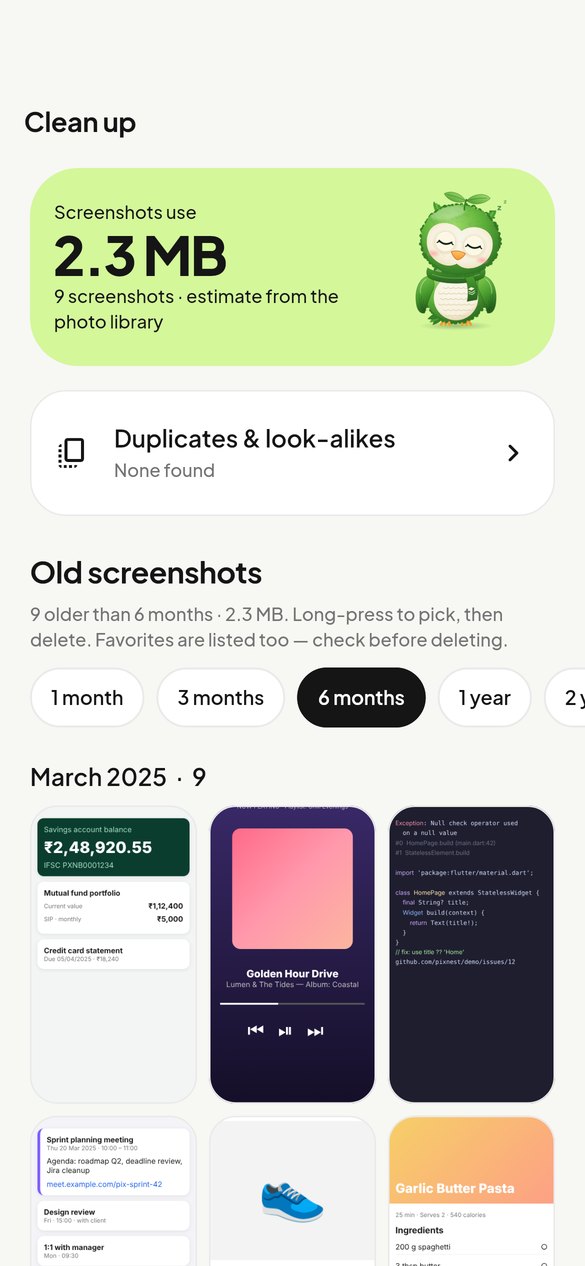
Find exact copies and look-alikes, compare side by side, and free up space. Nothing is deleted without you.
-
Links, numbers & notes
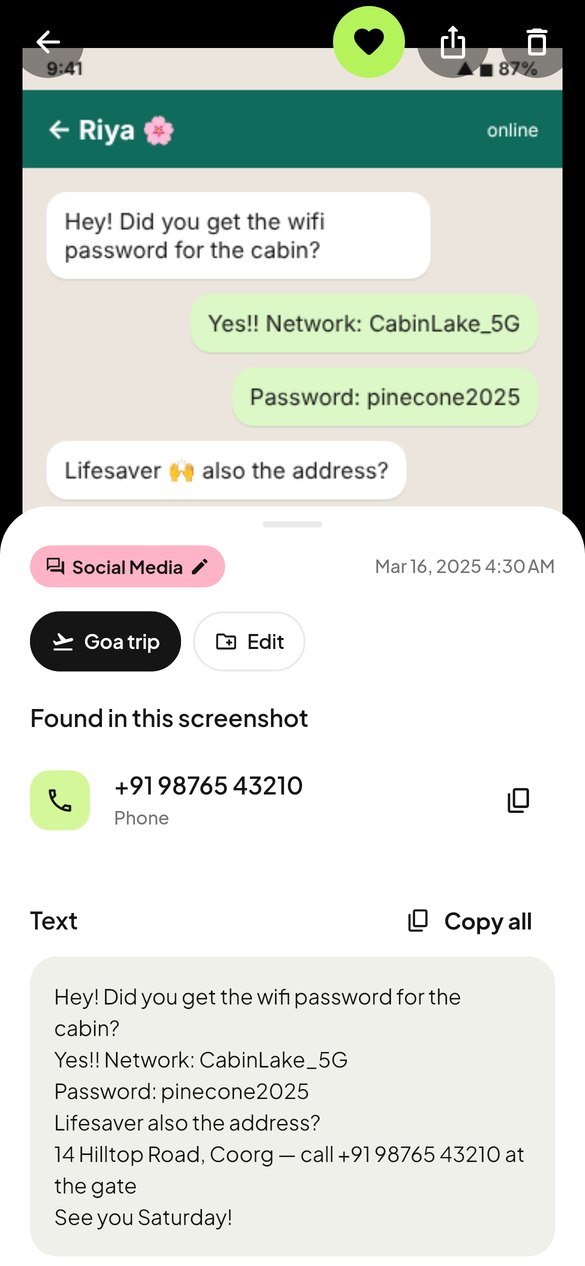
Tap detected links, phone numbers and e-mails; copy prices and dates; add notes you can search later.

How it works
- Allow photo access. All of it, or just the screenshots you pick.
- Pixy reads your screenshots. Text, links and numbers are recognized on your phone — gently, to save battery.
- Find anything. Type “wifi password”, “boarding pass” or “invoice” and it’s there.
Made to feel calm
Your memories stay yours.
- No accounts, sign-ins or servers
- Text recognition runs on your device
- No analytics, ads or tracking — ever
- The Android app has no internet permission
- Nothing is deleted unless you confirm

Questions
Is Pixnest really free?
Yes. Every feature is free, with no ads, subscriptions or in-app purchases.
Do I need an account?
No. There is nothing to sign up for. Pixnest has no servers.
Does it upload my screenshots?
Never. Pixnest works offline. On Android the app doesn’t even request internet permission. Read the Privacy Policy.
Which languages can it read?
On Android, Pixnest bundles ML Kit’s Latin-script model (English, Spanish, French, German, Hindi in Latin script, and more). On iOS, Apple Vision supports many languages.
Will it delete my photos?
Only when you choose screenshots and confirm — and your phone asks you to confirm again. Pixnest never deletes anything automatically.
Can I back up my notes and collections?
Yes. Settings › Back up saves Pixnest’s data to a file you choose, and you can restore it later. Your images stay in your photo library.
Can I limit what Pixnest sees?
Yes. Choose “Select photos” on Android 14+ or “Limited Access” on iOS, and change it any time.

Give your screenshots a home.
Download PixnestAndroid APK on GitHub Releases · Google Play & App Store coming soon